MyFlightbook is hard to compete with on price because it costs nothing. It has web, iOS, and Android access, public source code, a long operating history, and enough depth for many pilots. If it already fits your workflow, staying put is a sensible decision.
Pilots usually search for a MyFlightbook alternative because they want something specific that the free service does not prioritise: a more polished native app, full offline access, deeper airline roster importing, a Windows-centred database, or more authority-specific PDF layouts.
This guide compares five alternatives without pretending they are all better. Pricing and feature claims were checked against vendor sources on August 22, 2026.
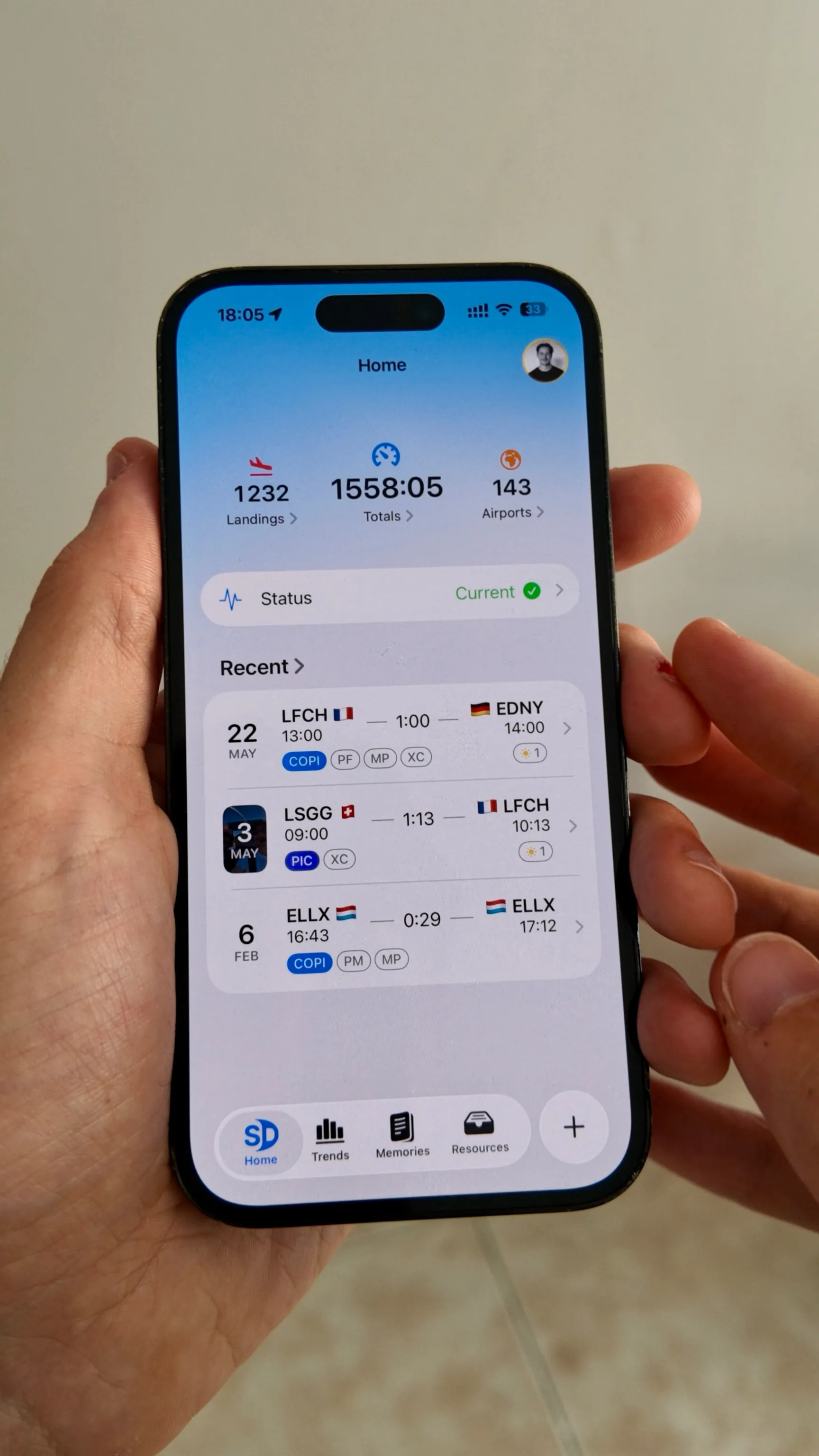
Full disclosure: I founded Skyden, one of the products below. Skyden appears first because it is the alternative I know best, but its limitations are stated plainly. It is not the right move for Android users or anyone whose main requirement is a free logbook.
TL;DR
- Stay with MyFlightbook if free access, Android support, and a browser-based logbook matter more than a polished native interface or full offline access.
- Choose Skyden for full offline use, encrypted automatic backup and sync between Apple devices, extensive flight-entry automation, seven authority PDF formats, and a dedicated home for flight photos and videos.
- Choose LogTen Pro if you use Apple devices and need broad airline schedule importing.
- Choose MyPilotLog for a low-cost Android, iOS, and web subscription with duty and FTL tools. It requires internet access.
- Choose Logbook Pro for a permanent Windows desktop licence and detailed desktop analysis.
- Keep ForeFlight Logbook if you already use ForeFlight’s charts, weather, planning, and track logs.
MyFlightbook and the alternatives at a glance
| Product | Price | Platforms | Offline position | Best fit |
|---|---|---|---|---|
| MyFlightbook | Free, donation-supported | Web, iOS, Android | New mobile entries can be queued; full logbook and analysis need internet | Pilots who want a capable free service |
| Skyden | EUR 79.99/year or EUR 9.99/month | iPhone, iPad, Mac | Full offline logging | Apple pilots wanting a modern native app and multi-authority exports |
| LogTen Pro | $79.99 Basic or $129.99 Pro per year | iPhone, iPad, Mac, Apple Watch | Mobile offline workflow | Apple-based airline pilots who need schedule imports |
| MyPilotLog | GBP 25, EUR 30, or $34 per year | Web, iOS, Android | Reliable internet required | Pilots wanting inexpensive multi-platform duty tools |
| Logbook Pro | Windows desktop from $99.95 once; mobile sync $69.99/year | Windows with iOS and Android companions | Desktop works locally | Windows-first pilots who prefer desktop analysis |
| ForeFlight Logbook | Included in $130, $260, and $390 EFB plans | iPhone, iPad, web | Mobile offline workflow | Existing ForeFlight subscribers |
Price alone makes this an unusual comparison. Every alternative introduces a cost except when ForeFlight is already part of your flying setup. The paid products need to earn that cost through a better fit, not simply a longer feature list.
What MyFlightbook gets right
MyFlightbook describes itself as a free, open-source community asset rather than a commercial product. Donations fund the service, and donating does not unlock a separate feature tier. The public statistics page showed 26.8 million total flights when this article was checked. It also showed 5,600 pilots recording flights during the preceding seven days, which is more useful than an unsupported claim about total registered users.
Its scope is substantial. Pilots can log through a browser or mobile app, track currencies, use custom currency rules, import and export CSV data, print an EASA FCL.050-style PDF, share flights, maintain aircraft information, and connect other software through OAuth-based developer services. The iOS and Android apps can detect takeoffs and landings, record a flight track, and attach photos.
The project also addresses continuity more openly than many commercial products. Its FAQ documents public source code, backup administrators, transition plans, several database and code backups, and an operating account funded by donations. That does not remove the need for personal backups, but it makes the one-maintainer model less fragile than the phrase “single developer” suggests on its own.
Its privacy policy adds another useful safeguard. Data is retained while the account exists. If a pilot deletes the account, MyFlightbook first emails a copy of the logbook, then removes the remaining account information except for instructor identity attached to signed student records. Database backups created before deletion can remain for a few months. This is unusually transparent, but it still supports the same practical advice: keep your own CSV and PDF archive.
If those capabilities cover your flying, there is no financial argument for switching. A paid alternative should solve a problem you can name.
Why consider an alternative?
Full offline access
MyFlightbook’s mobile apps handle the important airborne case. You can build a new entry, use takeoff and landing detection, and queue the flight until a connection returns. The rest of the service remains cloud-dependent. Viewing your full logbook, calculating totals, and checking currency require internet access.
That distinction may not matter to a pilot who reconnects after every flight. It matters more during multi-day trips, remote flying, or any operation where the logbook must remain fully usable without a network.
A more native interface
MyFlightbook’s interface exposes a lot of capability, but it feels like a web service adapted to several devices. Some pilots prefer that density and flexibility. Others want fewer fields on screen, faster repeated entry, and an interface that follows the design conventions of their phone or computer.
This is subjective, so screenshots are not enough. Add the same five representative flights to both products. Include a simulator session, an instructor signature, and a flight with unusual time fields. The better interface is the one that makes those entries easier to create and correct.
Simpler data handling
MyFlightbook’s CSV tools are capable but have rules worth understanding. Its FAQ warns users to begin bulk edits with a downloaded file because the FlightID column tells MyFlightbook whether to update an existing flight. Importing rows without those identifiers creates duplicates.
The optional Excel refresh workflow also has documented quirks. Excel may apply US date conventions when it does not pass locale information, and reserved characters such as ?, #, or & in a password need percent encoding. These are workarounds for Excel integration rather than flaws in ordinary flight entry, but they add friction for pilots who regularly manipulate their logbook in spreadsheets.
Different aircraft and airline workflows
Aircraft records in MyFlightbook are shared across pilots. A tail number cannot simply be renamed. The documented process is to create the correct aircraft and migrate the affected flights. Changes to an aircraft model can also notify other pilots who use that aircraft record.
There are good reasons for this shared model, including consistent aircraft and maintenance data. It can still feel unusual to a pilot expecting a private aircraft list. Airline pilots may also prefer a product with a dedicated importer for their crew schedule instead of a more general logbook workflow.
More authority-specific exports
MyFlightbook can produce a traditional PDF following EASA FCL.050 guidelines and includes extensive FAA-oriented currency tools. Pilots working under TCCA, UK CAA, JCAB, GCAA, or CASA may prefer a product that publishes a dedicated layout for their authority.
The export label is only one part of compliance. FAA pilots remain responsible for the records required by 14 CFR 61.51. EASA pilots must keep the details required by FCL.050 and AMC1 FCL.050. Review our FAA logbook requirements or EASA logbook requirements, then inspect a sample PDF before changing your primary logbook.
Skyden: best for an offline-first Apple workflow
Skyden is a native logbook for iPhone, iPad, and Mac. The complete logbook remains available offline. Encrypted automatic backup syncs it between the pilot’s Apple devices when the app is installed.
Its flight form calculates flight duration and regulatory night time, sorts takeoffs and landings into day or night, handles them according to pilot-flying or pilot-monitoring status, and fills role time from the selected crew function. It can reverse the previous route, alternate PF and PM, and reuse the previous aircraft, crew, and roles.
The app also includes certificate expiry reminders, digital crew signatures, maps, analytics, and Memories for keeping photos and videos with the flights behind them. Exports are available in PDF, CSV, and JSON.
Its PDF layouts cover EASA, FAA, TCCA, UK CAA, JCAB, UAE GCAA, and CASA. After your first 20 free flight hours, an active subscription is required to log new flights. After the free allowance, pricing is EUR 79.99 per year or EUR 9.99 per month. Both unlock the full feature set. If the subscription ends, existing flights remain readable and exportable. Unless the pilot requests deletion, inactive flight logs are retained for up to 10 years so the professional history can be recovered.
Moving from MyFlightbook requires some preparation. Skyden does not currently have a dedicated MyFlightbook importer. Export the MyFlightbook CSV, copy the relevant data into Skyden’s CSV template without changing its headers, then import the completed file. Fields that do not have a direct equivalent need individual review.
Skyden is also Apple-only. There is no Android or web app, its airline import coverage is narrower than LogTen’s, and its public track record is much shorter than MyFlightbook’s. Android users should not switch to it. Pilots who only want a free logbook should remain with MyFlightbook.
Choose Skyden if: you use Apple devices and want full offline access, automatic sync, a highly automated flight form, a polished photo and video experience, and several authority-specific PDF layouts.
LogTen Pro: best for airline imports on Apple devices
LogTen Pro is the strongest option here for Apple-based airline pilots whose schedules match its import system. The Pro plan supports more than 100 airline schedule formats, more than 100 reports, the Mac app, and signatures. It costs $129.99 per year. Basic costs $79.99 per year but leaves out schedule importing and the Mac app. Pilots can use the product free until reaching 50 logged hours.
LogTen also includes currency and duty tracking, endorsements, interview reports, and career tools. Coradine reports more than 10,000 five-star reviews across app stores, but that vendor figure should not be treated as independent market-share data.
The platform boundary is firm: no Android, Windows, or web app. LogTen advertises logbook formats from around the world, but its public pricing page does not enumerate each authority. Request a sample for the specific format you need. The Pro subscription also costs more than MyFlightbook, MyPilotLog, or Skyden.
Choose LogTen Pro if: you work in the Apple ecosystem and its airline schedule importer will remove enough manual entry to justify Pro. Our LogTen Pro alternative guide covers the trade-offs in more detail.
MyPilotLog: best low-cost Android alternative
MyPilotLog offers web, iOS, and Android access under one subscription. The published annual price is GBP 25, EUR 30, or $34 after a one-month trial. Its features include licence and currency tracking, FTL and duty-limit tools, signatures, documents, maps, and PDF reports. The vendor’s import page lists 39 sources.
The service is inexpensive and covers more professional-duty workflows than many pilots expect at that price. It also has the clearest limitation in this comparison: its terms require a reliable internet connection. Pilots leaving MyFlightbook specifically for full offline logbook access should not choose it.
The public site refers to authority-friendly PDFs but does not provide a complete authority-by-authority list. Request a sample of the exact report you need instead of assuming that broad platform support means broad regulatory coverage.
MyPilotLog’s terms also make subscription status relevant to career continuity. When payment stops, normal platform features become unavailable. The data is retained for one year without an active subscription and is then deleted. Export before expiry rather than relying on that retention window.
Choose MyPilotLog if: you need Android and web access, want duty and FTL tools, and can rely on connectivity.
Logbook Pro: best for Windows desktop analysis
Logbook Pro takes a different approach from MyFlightbook. It centres the logbook on a Windows desktop database with detailed reporting and analysis. Standard costs $99.95 once, Professional costs $149.95, and Enterprise costs $199.95. The desktop licences do not expire.
The mobile setup is separate. Logbook Pro Mobile + Cloud Sync costs $69.99 per year, works on iOS and Android, and requires Logbook Pro Desktop. Mac users need Windows virtualisation for the desktop application.
The local Windows file is the master record. NC Software explicitly says Cloud Sync is a transfer mechanism, not a backup, and that transferred data is not retained in the cloud once it reaches the desktop. That architecture gives the pilot a local copy but makes independent desktop backups essential.
This structure suits pilots who want a permanent Windows product and treat the phone as a companion. It is less appealing if the goal is to replace MyFlightbook with a self-contained mobile service.
Choose Logbook Pro if: you prefer maintaining and analysing the master logbook on Windows. See the broader pilot logbook software comparison for its tier and mobile details.
ForeFlight Logbook: best when you already need the EFB
ForeFlight Logbook is not a standalone subscription. It comes with ForeFlight’s Starter, Essential, and Premium EFB plans, currently priced at $130, $260, and $390 per year in the United States.
The bundle makes sense when ForeFlight already handles charts, weather, planning, and track logs. Flights and track logs can feed draft entries into the logbook, while remote instructor signing and more than 60 FAA endorsement templates support training workflows. ForeFlight also offers US and European logbook regions.
The same bundle is hard to justify if a logbook is all you need. There is no Android app, and MyFlightbook remains much cheaper at zero. A pilot who uses another EFB gains little from paying for overlapping tools.
ForeFlight retains personal data while the account is active, but its published policies do not define a specific post-cancellation access or retention period. Export the logbook before cancelling instead of treating corporate backing as a retention guarantee.
Choose ForeFlight Logbook if: you already depend on the wider ForeFlight ecosystem and value automatic draft entries. Our ForeFlight logbook alternative guide separates logbook replacements from full EFB replacements.
How to move away from MyFlightbook safely
Do not begin by deleting or editing anything. Build an independent archive first.
- In MyFlightbook, open the Logbook tab and choose Download. Save the complete CSV in two separate locations.
- Generate a PDF in the layout you normally use. A PDF is not as portable as raw data, but it gives you a readable snapshot of the record and totals before migration.
- Check whether the destination has a dedicated MyFlightbook importer. If it only accepts a generic template, map the columns carefully. Do not assume remarks, signatures, properties, photos, and simulator details will transfer automatically.
- Import a small copy or review the preview before committing the entire file. Compare total time, PIC, SIC, instrument, night, landings, approaches, and simulator totals against MyFlightbook.
- Add several new flights to both systems. Test offline entry, editing, signatures, export, and sync before choosing the new source of truth.
- Keep the MyFlightbook CSV and PDF even after the move. There is no benefit in throwing away a known-good archive.
The FlightID column needs one clarification. MyFlightbook uses it when a CSV is imported back into MyFlightbook, allowing existing flights to be updated instead of duplicated. A different logbook may ignore that column. Preserve it in your untouched archive, but follow the destination’s own import instructions for the working copy.
Should you switch?
Stay with MyFlightbook if you value free access, Android and web support, open-source continuity, and broad functionality more than full offline access or native polish. Its continuity planning is more thoughtful than many summaries acknowledge.
Consider another product when you can identify a concrete mismatch:
- Skyden for full offline use, Apple-native design, automatic sync, flight-entry automation, Memories, and seven authority layouts.
- LogTen Pro for broad airline schedule importing on Apple devices.
- MyPilotLog for inexpensive Android, iOS, and web access with duty tools.
- Logbook Pro for a permanent Windows desktop licence.
- ForeFlight when its EFB integration already belongs to your flying workflow.
Switching because another app looks newer is rarely enough. Switching because it handles your roster, works through a week without connectivity, or produces the exact report your authority expects is easier to justify.
Frequently asked questions
Is MyFlightbook really free?
Yes. There is no paid feature tier. Donations support operating costs, but the FAQ states that donors and non-donors receive the same functional service.
Does MyFlightbook work offline?
Partly. The mobile apps can build and queue a new flight without a connection, then submit it later. Viewing the complete logbook, totals, and currency analysis requires internet access.
What is the best MyFlightbook alternative for Android?
MyPilotLog is the clearest paid option in this comparison for Android, iOS, and web users who also need duty and FTL tools. It costs $34, EUR 30, or GBP 25 per year, but requires reliable internet. If free access matters most, staying with MyFlightbook is the better choice.
Can Skyden import a MyFlightbook CSV directly?
Not through a dedicated importer. Export the logbook from MyFlightbook, copy the relevant fields into Skyden’s CSV template, and import the completed file. Keep the untouched MyFlightbook export and compare totals afterwards.
Can MyFlightbook produce an EASA logbook?
MyFlightbook offers a traditional PDF layout following EASA FCL.050 guidelines. That does not make every entry correct automatically. Review the output and ensure the source data contains every item required for your operation.
Is an open-source logbook automatically safer?
No. Public code improves transparency and gives the community a possible continuation path. It does not protect a pilot who never exports a backup. Keep both raw data and a printable PDF outside whichever service you use.
Primary sources
- MyFlightbook about page, FAQ, mobile apps, and public code
- MyFlightbook privacy policy and terms
- Skyden App Store listing
- LogTen pricing, product overview, privacy policy, and offline-access announcement
- MyPilotLog terms, privacy policy, and import sources
- Logbook Pro Desktop, Mobile + Cloud Sync, and sync documentation
- ForeFlight pricing, Logbook product page, and privacy policy
 Try Skyden Free